Distance covered
In kilometres, based on usable GPS points during your recording. This is your recorded walk, not an official event distance.
 AmbleGo
A daily stroll or preparing for a longer walk? Make room for walking in your week, follow your distance and pace, and save your route with your own notes. See what you have achieved and remember how it felt.
For iPhone and iPad · No account needed
You choose the route. AmbleGo records where you walk; it does not provide turn-by-turn directions.
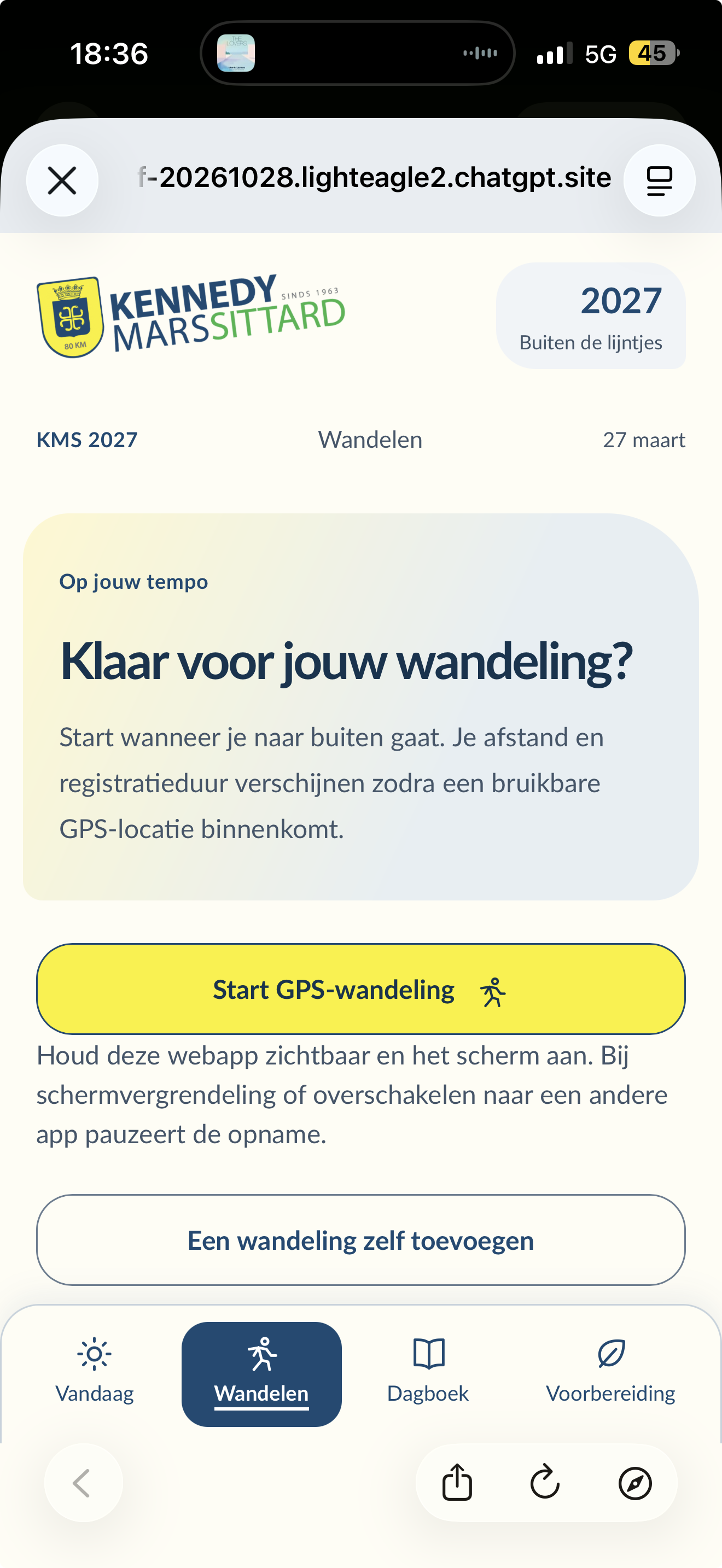
Today shows your next walk if you have one planned. You can also head out spontaneously. Allow location access, start a GPS walk and wait for a usable signal. Then the timer starts.
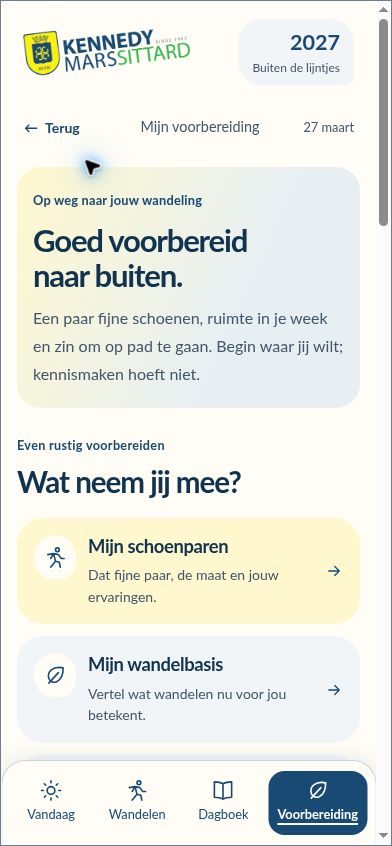
The images below are Dutch examples from earlier test versions. Current speed uses a design with sample data. Your app version may look different.
See your current and average speed in km/h and your current and average pace in min/km. At 5 km/h, one kilometre takes 12 minutes. Your averages use active walking time.
In kilometres, based on usable GPS points during your recording. This is your recorded walk, not an official event distance.
The recorded time, excluding deliberate pauses. This is not the same as all the time between setting off and arriving home. Standing still without pausing can count.
In km/h: how fast you are walking at that moment. This needs recent, usable GPS data, so the value may be temporarily unavailable.
In minutes per kilometre: the average recorded time it took you to cover one kilometre. Paused time is excluded. This average may be unavailable when a recording is incomplete.
Tap Pause to pause the recording and Resume to continue. During a deliberate pause, distance and walking time do not increase. Averages exclude that pause time.
Check the recording status too. Waiting for GPS, Active, GPS uncertain and Interrupted mean something different from a pause you choose yourself. An incomplete-recording warning also matters when looking back.
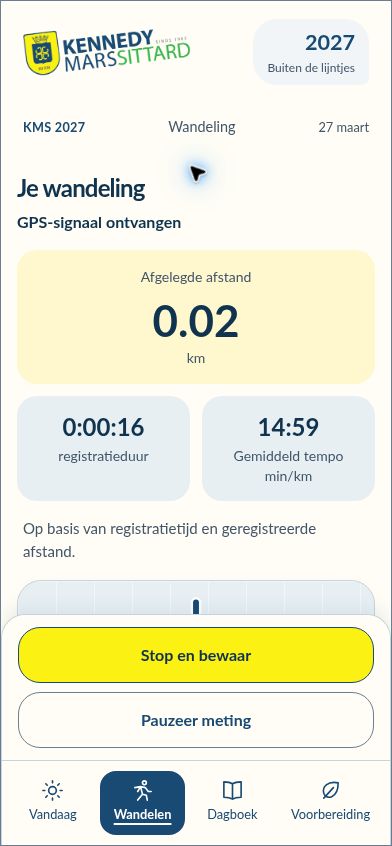
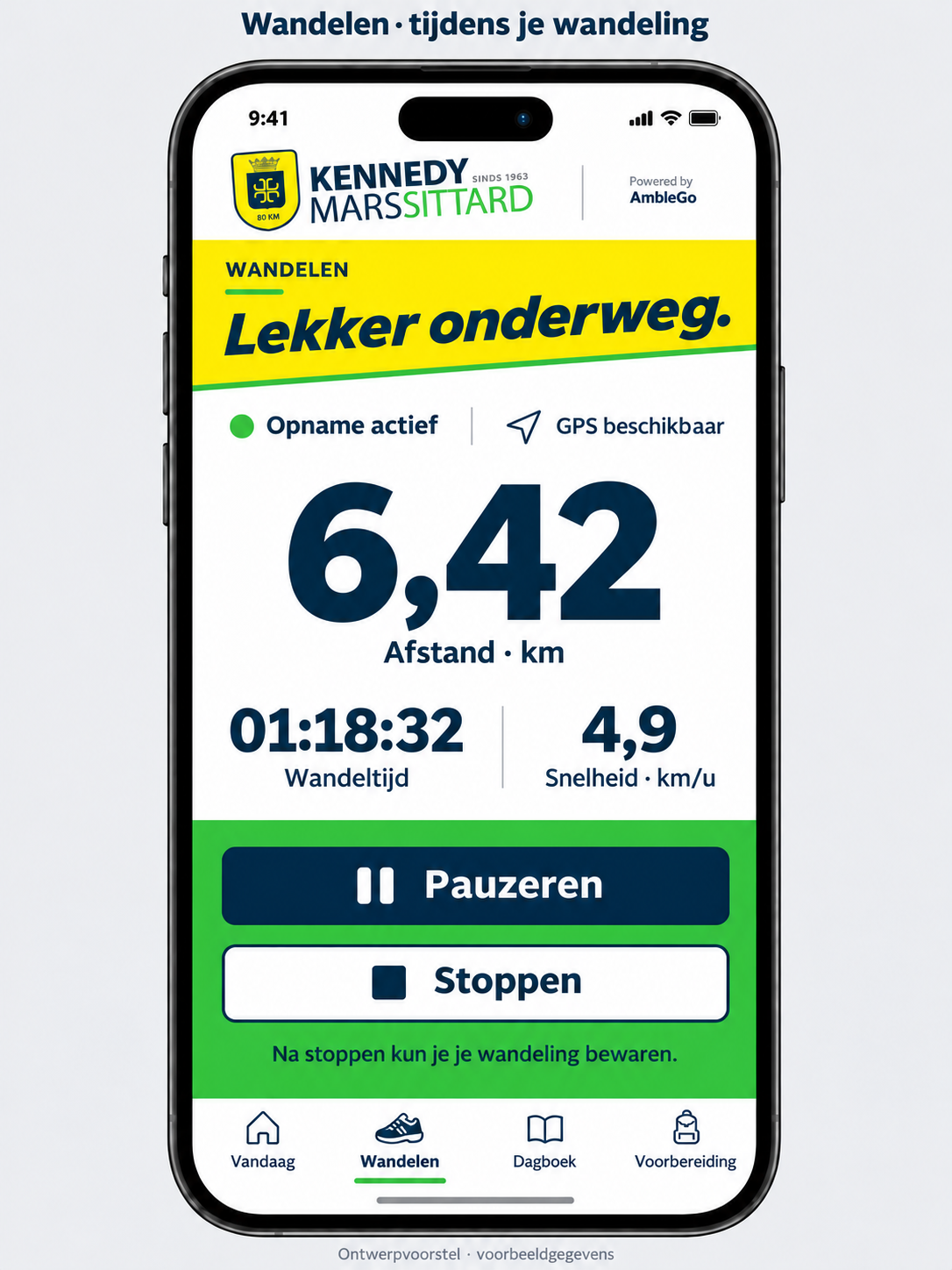
Speed · design with sample data. An actual screenshot will follow.
View the original imagePausing and finishing · earlier test version. Button labels may have changed.
View the original imageChoose Finish and confirm End and save. Check the save confirmation. In Diary, find your walk with its distance, walking time and available measurements. For a GPS walk, you can also view the recorded GPS track.
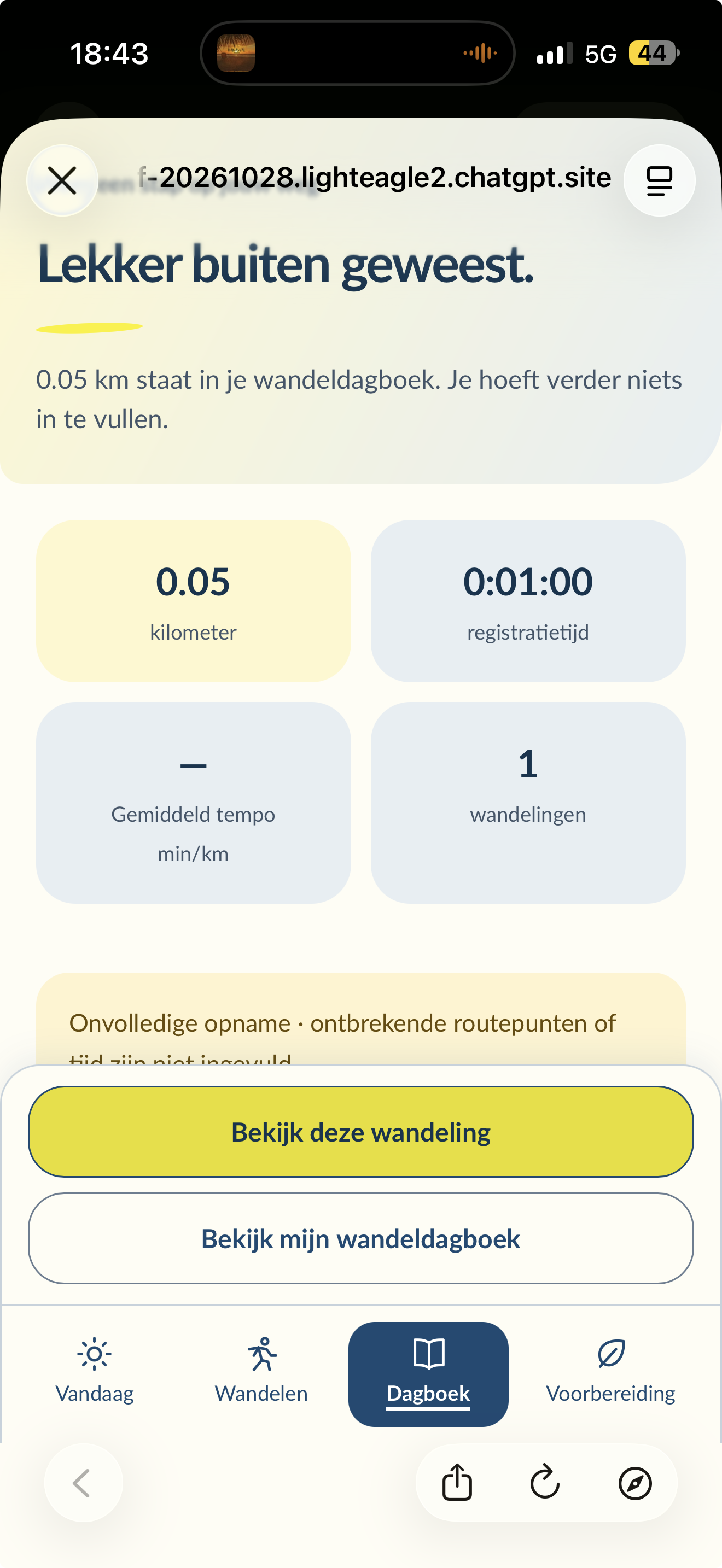
Saving · web test from 28 October 2026, with an incomplete recording.
View the original image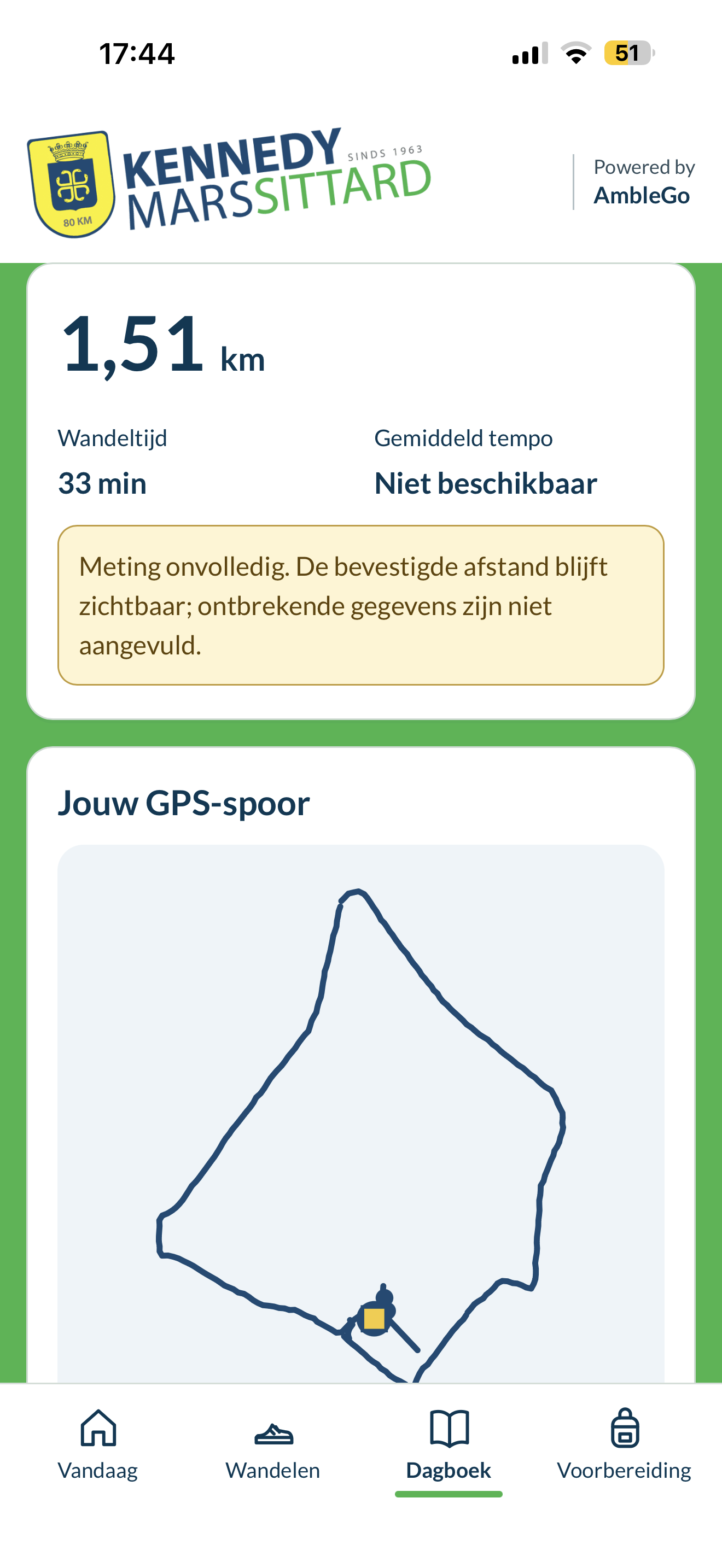
Looking back · iPhone screen from 3 November 2026. The incomplete recording warning remains visible.
View the original imageOpen a GPS walk in Diary to see your track. Choose Show map to view it on an OpenFreeMap basemap. Save the area while connected to view that coverage and level of detail offline.
Name your walk, add a note and record how it felt. That way, you remember what made it special to you too.
You can add the date and distance manually, with a name and walking time if you know it. The app does not create a GPS track for this: a manual entry remains identifiable.
Search your diary or view a period. You can link a walk to your own plan and correct a distance. The original measurement is retained; a correction does not fill in a missing GPS track.
Record when you are free to walk and choose a date and distance for a walk. In the weekly view, see your availability and compare planned and completed kilometres.
Keep a record of your walking experience, motivation and personal goals as a starting point for your plans.
Keep details by pair, including brand, model, size and your notes. Mark a favourite and archive older pairs.
Your walks and personal notes stay on your device. The app is available in Dutch, English, German and French.
Make a backup file in Preparation and choose where to keep it. You can preview the file. You can restore data into empty, compatible app storage after confirming.
For iPhone with iOS 15 or later and iPad with iPadOS 15 or later. The App Store shows availability in your region.
AmbleGo keeps growing. These additions are in the development build or on the roadmap. Not all are available in the app you download yet.
As of 23 November 2026. Availability depends on your app version.
In the development build
View distance, recorded time and the number of walks by period. Open a walk for your route, readings, notes and reflection. Expand search and detailed statistics when you need them.
Add a walk now stays within the diary. Date and distance are required; duration, name and notes are optional. Changed input is kept as a draft when you go back. The updated screens still need checking on iPhone.
In the development build
With usable readings, the development build shows current elevation, uphill or downhill direction, gradient and total ascent and descent. Your diary includes the walk’s elevation profile.
Missing or uncertain elevation readings are not presented as measured zero values. Field testing and release are still needed.
In the development build
Add your own tracks and music tips, choose your preferences and build a walking mix. In the development build you can select tracks, change their order, save mixes on your device and share or open selected Spotify links.
A cadence match uses known BPM data only. Automatic Spotify integration and playlist creation have not been released. Your local music collection and mixes are not yet part of the walking backup.
Separate trial build
In the trial, Live Tracking shows rounded distance, progress and remaining distance in your supporter’s browser. An arrival estimate appears only with enough recent data. This trial does not share your exact location or GPS route.
You start and stop sharing. The iPhone trial link lasts at most two hours and shows its expiry time. Offline, stopping waits for confirmation; old progress is marked stale and later hidden. Testing on real devices and release are still pending.
Dutch-language screen preview with fictional data.
Separate trial build
A separate helper link has been built for the 80 km Kennedy-Mars trial. Your helper sees the next trial support point and, with current progress, an arrival estimate. You send a request, your helper acknowledges it in the browser, and you refresh to see the confirmation.
This trial uses fictional support points. Device testing and confirmation of real support points and access for personal helpers are still needed. Live Tracking and Support are disabled in the normal production build.
Dutch-language screen preview with fictional data.
Planned
The planned watch app lets you start, pause, resume and save on a compatible GPS watch. Afterwards the full walk, including route and pauses, should transfer to your phone.
Apple Watch and Wear OS are the intended platforms. No watch app is available yet; supported models and battery life have not been established.
These are development goals, not available app features. There is no release date yet. Exact location sharing is disabled in both the normal app and the current trial.
Your chosen friend can see your current location while you allow it.
Connect Spotify, adapt the music to your step rhythm and let friends contribute to your walking mix.
Use your past walks to build a personal training plan and finish estimate, with plans in your phone calendar.
Start sharing and choose Next update. See how your progress appears on the tracking page. The demo uses fictional walking data.
You are offline. Your contact can still see the last distance they received.
Stopping has not been confirmed. Your request is waiting for a connection.
Show an update first. While walking, simulate having been offline for a while. Your contact stays online in this example.
The walker is not sharing their progress yet.Waiting for the first updateOn the wayPausedNo recent updateThe tracking link is no longer active.
The Kennedy-Mars in Sittard is the first event we are developing AmbleGo for. You can also record walks near home, make your own plans and keep a diary.
Registration, the official route and participant information come from the organiser. A GPS track in your diary is a record of your walk, not turn-by-turn navigation.
Explore the events →Yes. You decide how far and how often to walk. Record a short stroll, work towards a personal goal or prepare for a longer walk. You do not need to take part in an event.
Build your own weekly plan around the time you have and the distance you want to walk. See your planned and completed kilometres together. You choose the route and how to build up your walking; AmbleGo does not map out a route for you.
The native iPhone version is designed to record with the screen locked. This is still being tested in practice. Do not fully close the app during a recording. Follow the message in your version: a web version may require the screen to stay active.
Your walks and notes stay on your device. To view a map offline, first open it while connected and save the area you need. You can then view that area without internet.
A reliable battery runtime for a full day of walking has not yet been established. Start with a charged phone and try the app on a short walk first. A power bank can be useful on a long walk.
In Preparation, choose the backup option. Choose where to save the file, which may contain your routes and personal notes.
The App Store shows whether AmbleGo is available in your region. The Android version is in development.
View AmbleGo on the App Store